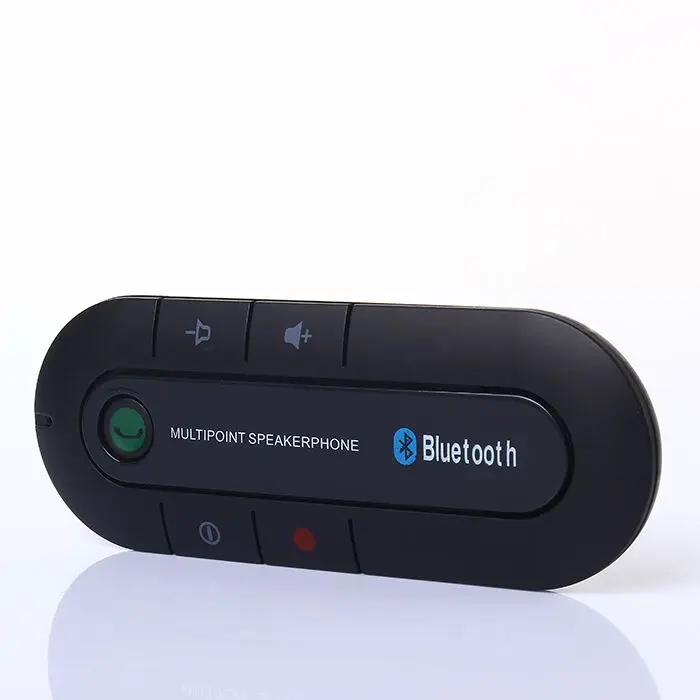
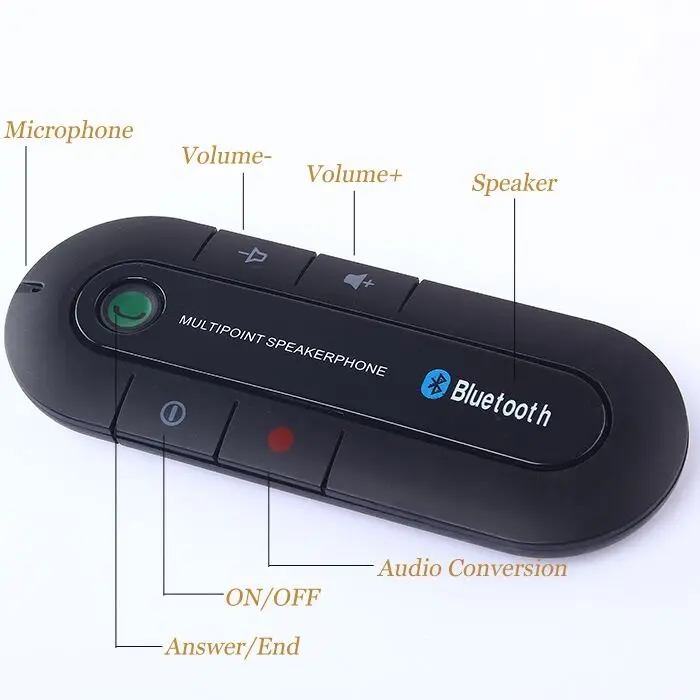
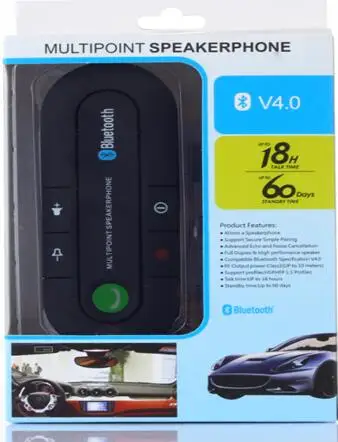
| ![]() Bluetooth hands-free car kit no need installation - just clip it on your sun visor!This device is a Bluetooth hands-free steering wheel car kit. Convenient for drivers to answer and hang up the call when driving. Both hands can stay on the steering wheel which bring you great safety. Support two phone connected .Support chinese English and spanish voice report . Features: Material: ABS Type: Bluetooth Car Kit Mounting: sun visor
Output: Bluetooth.
Input voltage: 5 (V).
Bluetooth 3.0 Built-in 600ma lithium battery
Operating range : 10 meters
Frequency : 2.4 GHz
Rechargeable Lithium-Ion battery
Voice recognition dialling (with supporting phones)
Talk time : 20 hours
Stand-by time : 1000 hours
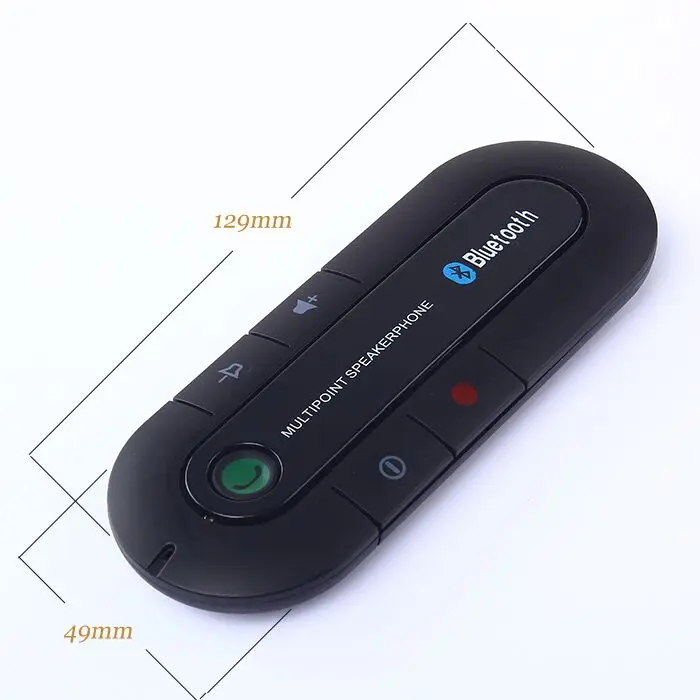
Charge time : about 3 hours Size:129mmx49mm Package Included: 1X V3.0 Bluetooth Hands-free
1XUSB Charging Cable
1XCar Charger Adapter
1XVisor Clip ![]() ![]() ![]() ![]() ![]() ![]() ![]() ![]() ![]() ![]() ![]() ![]() ![]() ![]() ![]() User Manual 1. About Bluetooth Speaker this portable mini-shape Bluetooth speakerphone is specially designed to give you convenience and freedom of wireless communication,which can be used as hands-free car kit when you are in car or as conference speakerphone on desk-top when you are at home office,etc with advanced built-in microphone which adopts D.S.P solution for Echo cancellation &noise suppression,this speakerphone creates an outstanding full duplex sound quality for you . 2. About bluetooth Technology Bluetooth wireless technology is set to revolutionize the personal connectivity by providing freedom from wired connections-enabling links and connectivity bewteen notebook/laptop mobile phones portable handheld devices and the other Bluetooth enable ,Devices within in 10 meter.,Utilizing global sound &digital data 2.4G ISM transmission ,it makes global communication in the way you are never dreamed of 3. Charging the battery The product with built in rechargebale battery can be charged random by the equipped charger ,to use your Bluetooth speakerphone for the first time,please charge the speakerphone fully <1>prior to using the speakerphone ,it is recommended to charge the battery fully for the first time ,normal full charge time is 3hours(Approx) <2>while charging the Red LED indicator will light up,after charging finishd the red LED indicator will be off and voice report “Power off Important notice: <1>”Charging indicator will be delayed for a few minutes if the speakerphone has not been used for a long time or the battery is drained <2>to prolong durability of battery and ensure the stability of speakerphone’s functioning it is recommended to charge the speakerphone immeditately whenever low battery voltable appeare the red LED will flash on every 3 seconds ,it will shut down soon under very low battery condition <3>the red LED will flash every 3 seconds whenever the battery low and turn off in 30 seconds 4. Power on/off the speakerphone <1>Power on: press and hold the on/off button for 6 seconds until you hear a short beep.then the blue LED indicator will be on and flash 5 times, voice report the power on . <2>Power Off:in standby mode,press and hold the on/off button for 6 seconds until you hear three beep sound and red LED flash 3 times also voice report power off 5. Pairing Automatic or manual connection after searching will apply to the mobile phone’s configuration,prior to use the speakerphone for the first time ,you must pair it manually with Bluetooth-enabled mobile phones ,the paring process is as following : <1>Place the speakerphone and mobile phone no farther than 1 meter apart <2>Ensure the speaker is under off mode <3>Press and hold the on/off button until you hear voice report”Ready to pair ”the LED will flash between red and blue alternately,it is now ready for pair <4>Activate your mobile phone’sBluetooth function and search for available Bluetooth devices by referring to your mobile phone user manual for details <5>select “BT Speaker”from the list <6>Enter the pre-programmed code “0000”to pair the mobile phone with the speakerphone,when pairing is completed ,you may hear a long beep and blue LED indicator will flash slowly for 3 times, it means successful pairing ,also the voice report “phone 1 connect”then the speakerphone will go to standby mode.,the blue LED indicator will flash every 3 seconds <7>Ensure your speakerphone and mobile phone is placed within 10meter-bluetooth sensing distance ,and there is no much interference around Pairing the second phone The Bluetooth speakerphone allow to match two cell phone at the same time Please referthe follow steps to pairing <1>After the first cellphone pairing successfully,please turn off the speakerphone then turn on it . <2>Please pairing the second phone as the above steps,after the second phone pairing successfully ,voice report “phone 2 connected” Important Notice: During the process ,if can not get successful pairing within 2 minutes,the speakerphone will power off,please repeat the above steps to pair again. 6 Automatically re-connection between speakerphone can mobile phone <1>The speakerphone will automatically connect to the mobile phone matched last time <2>When the speakerphone is power off or the connected mobile phone is more than 10 meters away from the speakerphone ,they will be out of connection automatically.the voice report “phone 1&2 disconnected” <3>Once the speakerphone is power on again within 10 metersaway from mobile phone,their connection will be rebuilt automatically ,there will be a report to indicator this succeful re-connection from the speakerphone <4>Otherwise,the speakerphone will power off automatically after 10 minutes disconnection (automatica or manual connection will apply to the mobile phone’s configuration) <5>You may want to connect your speakerphone with another Bluetooth phone,select “disconnecting”to remove connection from your mobile phone list ,as a result,the speakerphone will disconnect with its pre-paired phone and voice report “Phone 1 disconnected” Notice: When losing the connecting,the blue LED indicator will blink shortly and quickly ,then the speakerphone will power off automatically after 10 minutes 6. Using the speakerphone. <>Ensure the speakerphone and the mobile phone is placed within 10meters-bluetooth sensing distance <2>After successful Bluetooth connection,any incoming or outgoing call will automatically connected to this speakerphone first,you can operate your mobile phone and transfer back to mobile phone Once pairing is completed and the battery is full charged ,the following functions will be avaliable for you . <1>Making a call You can initiate calls from your mobile phone, or directly from the speakerphone using voice dialing commands(if this feature is supported by your mobile phone) Making a call from your phone Dial directly from bluetooth-connected mobile phone,the outgoing call will automatically connect to this speakerphone and will voice report :outgoing call 1” Voice dialing Ensure your mobile phone can support voice dialing function,and you had set it before you using this function ,in standby mode,short press the answer button to activate,at this time the voice dialing function in mobile phone will be autotimatically activated please speak ou the name of your expected toward the microphone,(pls refer to mobile phone user manaul ) <2>Answer a call Whenever there is an incoming call,or receive a call via your mobile phone in the normal way Once the call coming ,the speakerphone will ring when the call coming,short press the answer button to receive call ,If the phone is set under auto-answering mode,the user neednot press talk to access calls,it will be diverted to speakerphone automatically <3>Ending a call During talking status,if you want to end this call just short press the on/off button once to end the call or end the call via your mobile phone by normal way <4>Reject a call Whenever you could like to reject an incoming call ,press and hold the end button for 3 seconds <5>Last number re-dialing Under standby mode,short press answer button twice for the last number redialing with voice report “out going call 1” <6>Adjusting the volume Once the speakerphone with the mobile phone,press the volume+or volume- button repeatedly until it reach the proper volume level and voice report “volume highest or volume lowest”once arrived the limitation <7>conversation switch between speakerphone and the mobile phone A. from speakerphone to mobilephone when the conversation is progress through the speakerphone ,press the end button activated,then th e conversation willl be switched from the speakerphone to mobile phone ,,press the end button again ,the conversation will be switched form mobile phone to speakerphone Remark: this function is not avaliable for all Bluetooth-enabled devices,it depends on the compatibility of the paired device 7 Disconnection You may disconnect the speakerphone from your mobile by powering off the speakerphone or select BT Speaker on your phone and disconnected In case of disconnection from the mobile phone when the speakerphone is on ,the speakerphone will be shut down automatically after 10 minutes 8 Coversation from the second phone After connected with two mobile phone at the same time,the first connected one is primary phone that can use anwer button for voice dial and redial Notice: the other function refere above operation step of first phone 9.Voice report selection This device with three language report the different status .there are chinese English and spanish To exchange the language ,press end button for 3 seconds will be report 3 language one by one ,if you need the english voice,once you heard the english report and tell you press the answer button to confirm ,then will be change into english report for select the chinese and spanish foloow the name operation 10. Restore to default settings-remove previous pairing&connection To reset the speakerphone with its default setting and clear the previous pairing information ,please take the following steps (1) ensure the speakerphone is under standby mode (2) press and hold the volume+and volume- buttons simultaneously for 5 seconds until blue&red LED indicators flash altermately,then release the buttons and the speakerphone back to orginal setting and after power on the speakerphone again,it will enter pairing mode automatically. 11. Lower voltable protection of battery When the voltage of battery decreased to 3.3V.the red LED will flash in every 3 seconds and the speakerphone will be power of automatically when the voltage under 3.0V |