
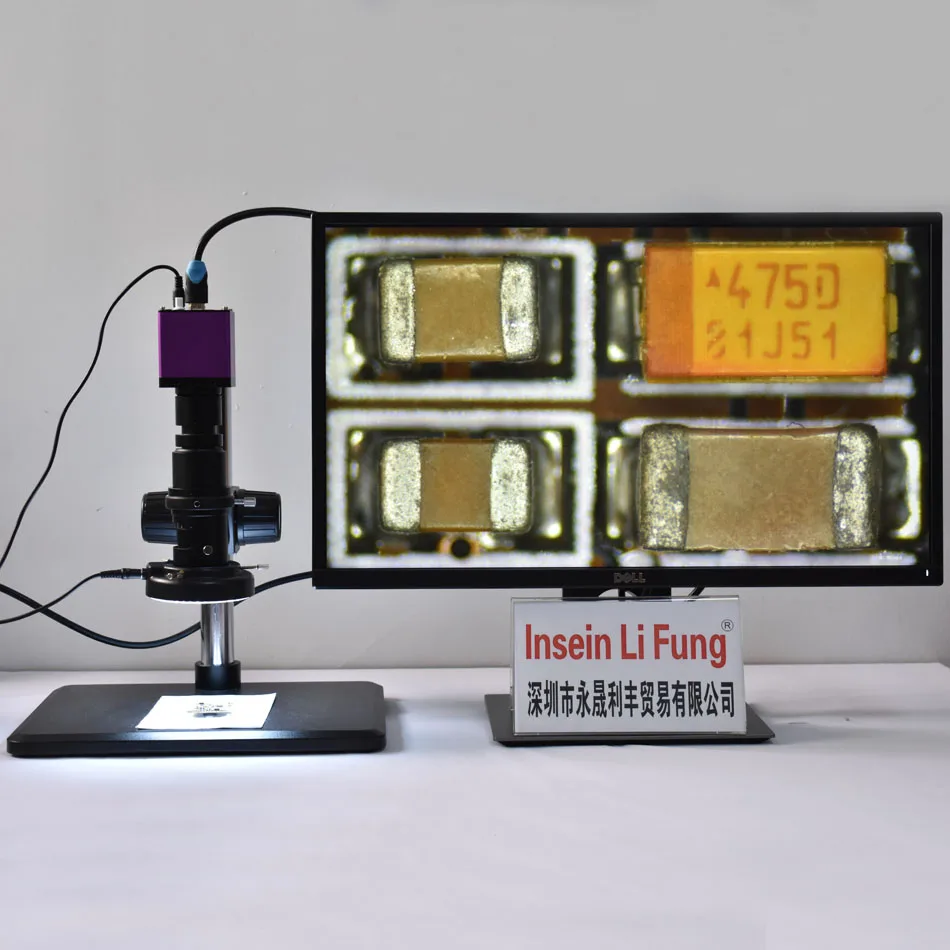
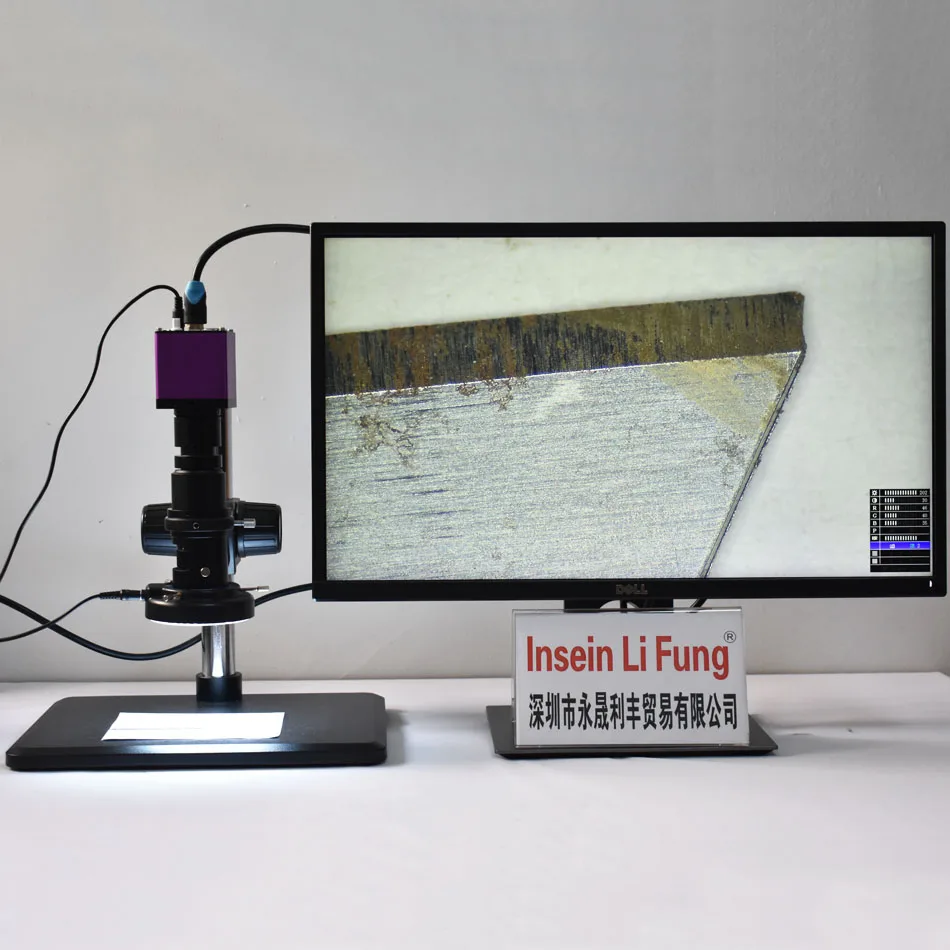
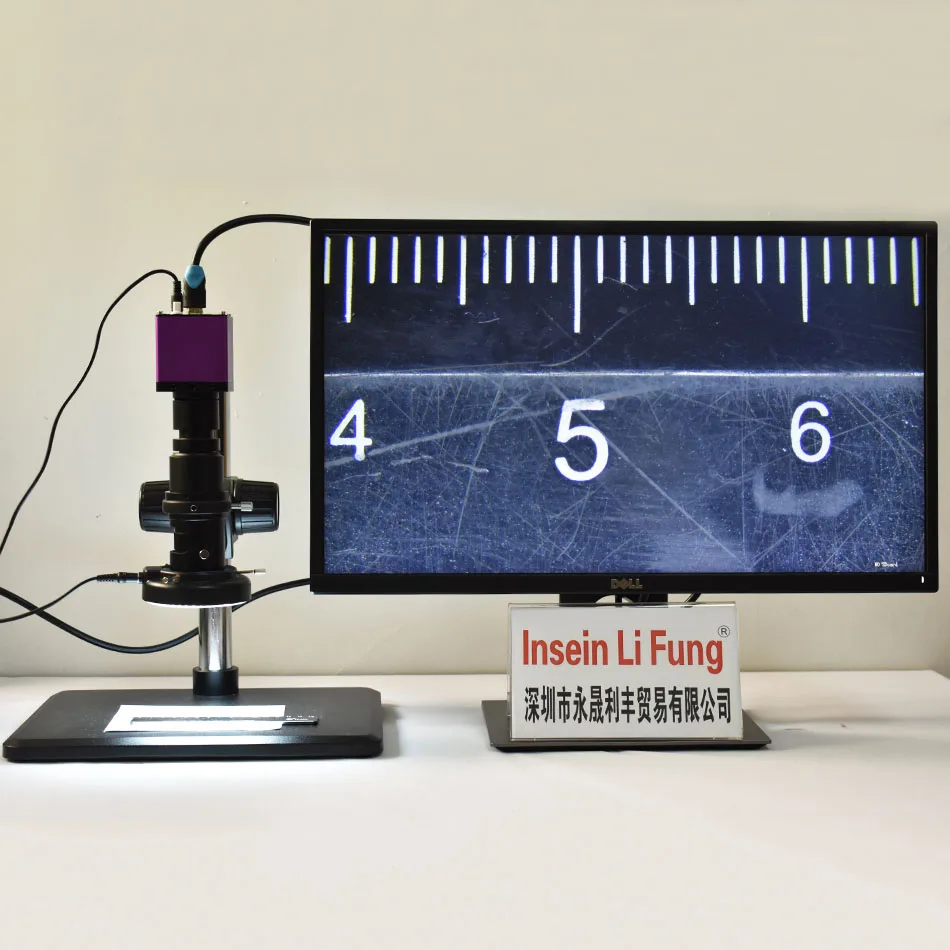
HD 1080P 2K 60FPS WDR микроскоп HDMI камера + 10X-300X регулируемое Увеличение Объектив
32 422,67 - 40 069,52 руб.


Новое поступление

Магазина Insein Li Fung Store работает с 24.11.2016. его рейтинг составлет 96.09 баллов из 100. В избранное добавили 1083 покупателя. Средний рейтинг торваров продавца 4.8 в продаже представленно 397 наименований товаров, успешно доставлено 850 заказов. 307 покупателей оставили отзывы о продавце.
Характеристики
*Текущая стоимость 60 665,69 уже могла изменится. Что бы узнать актуальную цену и проверить наличие товара, нажмите "Добавить в корзину"
| Месяц | Минимальная цена | Макс. стоимость | Цена |
|---|---|---|---|
| Feb-18-2026 | 77045.49 руб. | 78586.26 руб. | 77815.5 руб. |
| Jan-18-2026 | 62485.44 руб. | 63735.66 руб. | 63110 руб. |
| Dec-18-2025 | 75831.34 руб. | 77348.53 руб. | 76589.5 руб. |
| Nov-18-2025 | 75225.92 руб. | 76730.18 руб. | 75977.5 руб. |
| Oct-18-2025 | 60058.89 руб. | 61259.89 руб. | 60658.5 руб. |
| Sep-18-2025 | 74011.67 руб. | 75491.94 руб. | 74751 руб. |
| Aug-18-2025 | 73405.57 руб. | 74873.15 руб. | 74139 руб. |
| Jul-18-2025 | 72798.39 руб. | 74254.11 руб. | 73526 руб. |
Описание товара


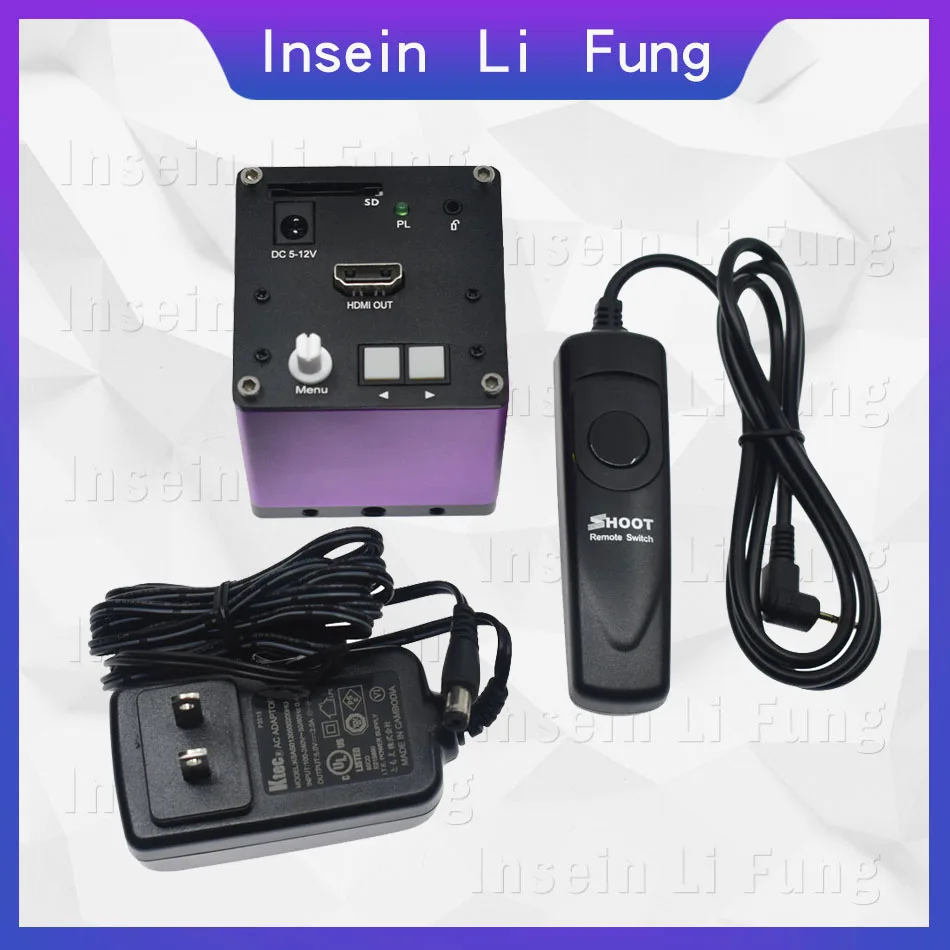
 Package incluede:
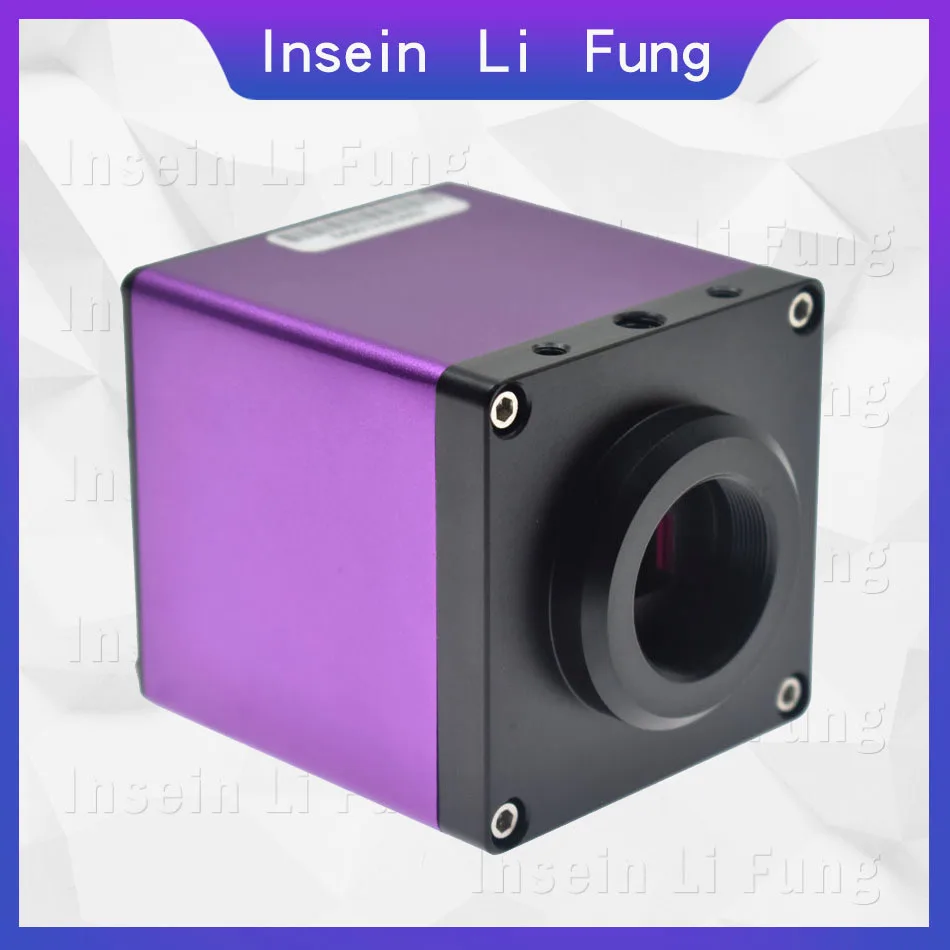
1 x HDMI Microscope Camera
1 x Power Adapter
1 x Camera remote control
Instructions:
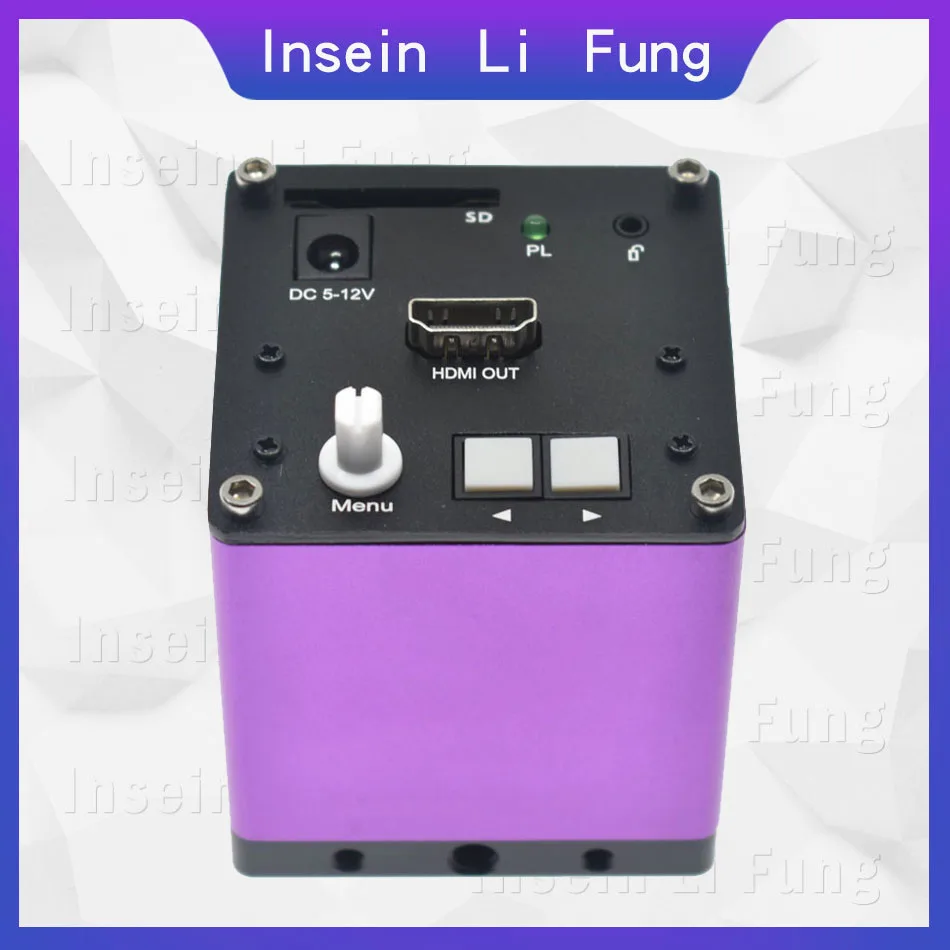
1 Rotate the menu knob to the P menu to select the AE auto exposure function (press the ◄ button), the camera will automatically adjust the image brightness to control the brightness of the screen to the appropriate range.
2 If the color of the screen is color cast, rotate the menu knob to P menu and select WB auto white balance function (press the ► key), the camera will automatically adjust the image brightness to control the brightness of the screen to the appropriate range.
3 If you need to enhance the edges of the picture, you can select the SE edge enhancement function, and the outline of the object will become clearer.
4 For products with strong reflection, the HDR wide dynamic function can be adjusted, the highlights will be suppressed, the dark parts will be strengthened, and the details of the viewing will be displayed.
Function menu operation:
By rotating the menu knob, the function menu can be called up in the lower right corner of the screen, and the data can be changed by controlling ◄►.
☼ indicates brightness: reduce or increase the brightness by the control key ◄►, the value range is between 0-206;
◐ indicates contrast: reduce or increase the contrast by the control key ◄►, the adjustment range is between 0-100;
R is the red gain: reduce or increase the red gain by the control key ◄►;
G is the green gain: reduce or increase the red gain by the control key ◄►;
B is the blue gain: reduce or increase the red gain by the control key ◄►;
P file AE is automatic exposure: When this function is selected, the camera will automatically adjust to the appropriate brightness range according to the current brightness.
Note that the value of the brightness is based on the brightness value of the center of the screen.
WB is manual white balance: Please adjust the brightness to the appropriate range, then put a white paper or object under the lens. Press this button, the camera will automatically adjust the RGB value according to the current light, so that the color is close to white. Note that the brightness value will remain at the previous value after the white balance operation is completed.
HDR is a wide dynamic function: This function can be used to avoid eye irritation when viewing high reflective objects such as metal. The dynamic range can be selected by adjusting the control keys.
For camera function: This function saves the image that needs to be selected and saved to the camera's SD memory card. When this button is pressed, the indicator light will flash to indicate that the current image is being saved to the SD card. During the SD card save process, the camera is not correct. The operation reacts.
SE is the edge enhancement function. Each time you press the control button, the edge enhancement function is added once. The corresponding number will change to 1, 2, 3 and 3 levels of enhancement, and then press to return to 0.
Indicates 1-4 horizontal lines, and you can move the lines you want to move up and down through the control button ◄►. Press the ◄► control button at the same time to cycle through the colors of the lines, red, green, blue, white, gray, black, cancel lines, and display lines.
Indicates 1-4 vertical lines, and the control line ◄► can move the lines to be moved left and right on the full screen. Press the ◄► control button at the same time to cycle through the colors of the lines, red, green, blue, white, gray, black, cancel lines, and display lines.
Precautions:
1. The shutter release has the priority of taking pictures, as long as the line control button is pressed, the camera will be taken.
2. After inserting the SD card, the LED will flash for 2 seconds, indicating that the SD card can be used normally by initialization; if it is not flashing, it means that the card cannot be used, please replace the SD card.
Package incluede:
1 x HDMI Microscope Camera
1 x Power Adapter
1 x Camera remote control
Package incluede:
1 x HDMI Microscope Camera
1 x Power Adapter
1 x Camera remote control
Instructions:
1 Rotate the menu knob to the P menu to select the AE auto exposure function (press the ◄ button), the camera will automatically adjust the image brightness to control the brightness of the screen to the appropriate range.
2 If the color of the screen is color cast, rotate the menu knob to P menu and select WB auto white balance function (press the ► key), the camera will automatically adjust the image brightness to control the brightness of the screen to the appropriate range.
3 If you need to enhance the edges of the picture, you can select the SE edge enhancement function, and the outline of the object will become clearer.
4 For products with strong reflection, the HDR wide dynamic function can be adjusted, the highlights will be suppressed, the dark parts will be strengthened, and the details of the viewing will be displayed.
Function menu operation:
By rotating the menu knob, the function menu can be called up in the lower right corner of the screen, and the data can be changed by controlling ◄►.
☼ indicates brightness: reduce or increase the brightness by the control key ◄►, the value range is between 0-206;
◐ indicates contrast: reduce or increase the contrast by the control key ◄►, the adjustment range is between 0-100;
R is the red gain: reduce or increase the red gain by the control key ◄►;
G is the green gain: reduce or increase the red gain by the control key ◄►;
B is the blue gain: reduce or increase the red gain by the control key ◄►;
P file AE is automatic exposure: When this function is selected, the camera will automatically adjust to the appropriate brightness range according to the current brightness.
Note that the value of the brightness is based on the brightness value of the center of the screen.
WB is manual white balance: Please adjust the brightness to the appropriate range, then put a white paper or object under the lens. Press this button, the camera will automatically adjust the RGB value according to the current light, so that the color is close to white. Note that the brightness value will remain at the previous value after the white balance operation is completed.
HDR is a wide dynamic function: This function can be used to avoid eye irritation when viewing high reflective objects such as metal. The dynamic range can be selected by adjusting the control keys.
For camera function: This function saves the image that needs to be selected and saved to the camera's SD memory card. When this button is pressed, the indicator light will flash to indicate that the current image is being saved to the SD card. During the SD card save process, the camera is not correct. The operation reacts.
SE is the edge enhancement function. Each time you press the control button, the edge enhancement function is added once. The corresponding number will change to 1, 2, 3 and 3 levels of enhancement, and then press to return to 0.
Indicates 1-4 horizontal lines, and you can move the lines you want to move up and down through the control button ◄►. Press the ◄► control button at the same time to cycle through the colors of the lines, red, green, blue, white, gray, black, cancel lines, and display lines.
Indicates 1-4 vertical lines, and the control line ◄► can move the lines to be moved left and right on the full screen. Press the ◄► control button at the same time to cycle through the colors of the lines, red, green, blue, white, gray, black, cancel lines, and display lines.
Precautions:
1. The shutter release has the priority of taking pictures, as long as the line control button is pressed, the camera will be taken.
2. After inserting the SD card, the LED will flash for 2 seconds, indicating that the SD card can be used normally by initialization; if it is not flashing, it means that the card cannot be used, please replace the SD card.
Package incluede:
1 x HDMI Microscope Camera
1 x Power Adapter
1 x Camera remote control
Смотрите так же другие товары:


